

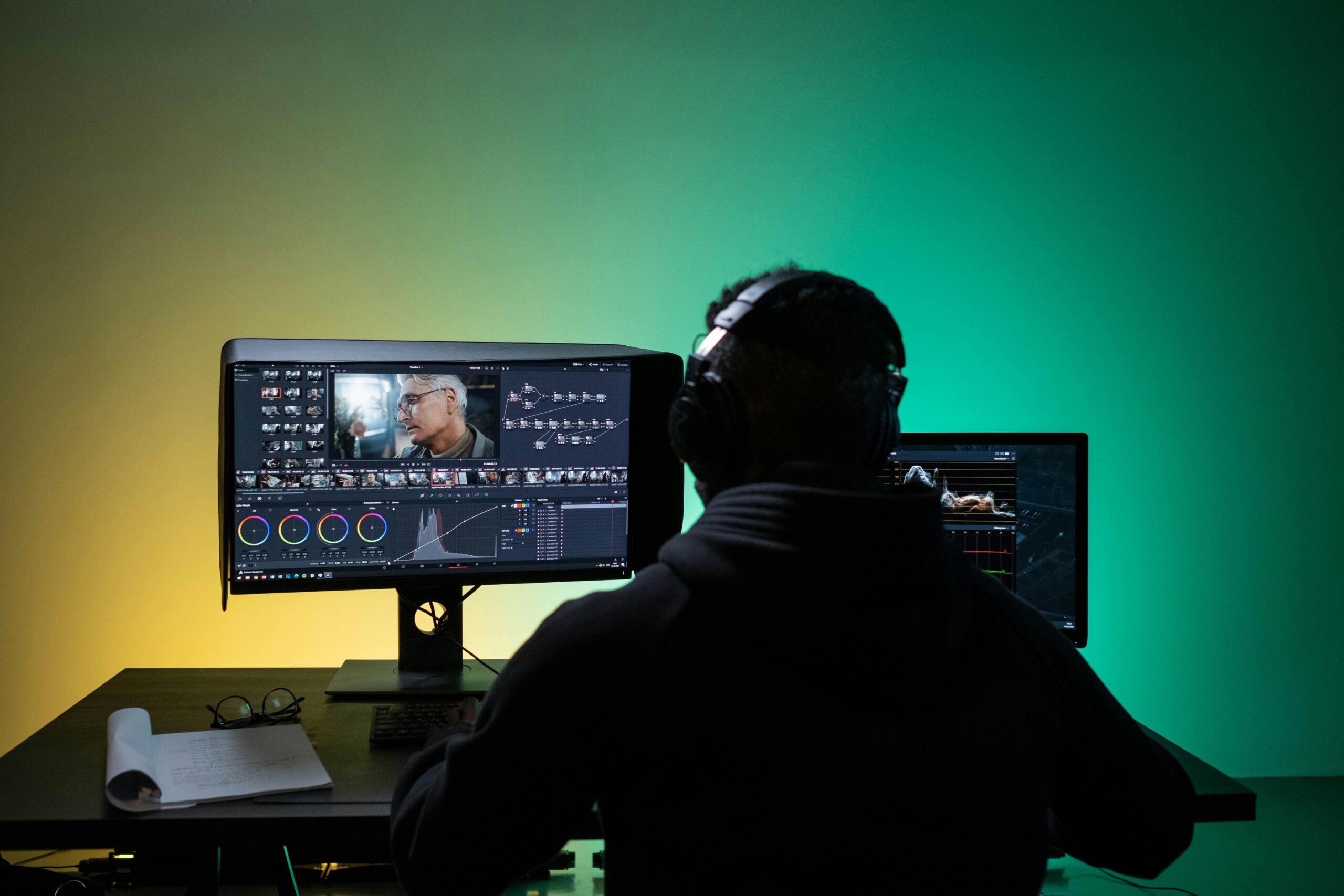
After spending two months testing over 30 AI image editing platforms, I’ve narrowed down the field to eight tools that deliver real value for creators, marketers, and designers. Whether you’re touching up product photos, creating social content, or producing marketing materials, at least one of these editors will transform your workflow.
The AI image editing space has matured dramatically since 2024. AI editors now use object detection to find people, animals, products, or specific areas in an image, making it easy to edit specific parts. What used to require hours in traditional editing software now takes seconds with the right AI tool.
Best AI Image Editors at a Glance
| Tool | Best For | Key Features | Platforms | Free Plan | Starting Price |
| Magic Hour | All-in-one content creation | AI editor, upscaler, generator, video tools | Web, Mobile, API | Yes (400 frames) | $10/month |
| Adobe Photoshop | Professional editing | Generative Fill, partner AI models, Neural Filters | Desktop, Web, Mobile | No | $22.99/month |
| Canva AI | Quick social media edits | Magic Edit, Background Remover, one-click enhancements | Web, Mobile | Yes (limited) | $15/month |
| Luminar Neo | Photographers | Sky AI, Object Removal, Relight AI, 25+ AI tools | Desktop, Mobile | 7-day trial | $99/year |
| Fotor | Beginner-friendly editing | 1-Tap Enhance, BG Remover, AI Upscaler | Web, Mobile | Yes | $8.99/month |
| Photopea | Free Photoshop alternative | AI Object Selection, PSD support, smart tools | Web | Yes | Free |
| ON1 Photo RAW | Batch processing | NoNoise AI, Resize AI, workflow automation | Desktop | 30-day trial | $99.99/year |
| Pixelmator Pro | Mac users | ML-powered enhancement, background removal | MacOS | No | $49.95 one-time |
1. Magic Hour
Magic Hour is an all-in-one creator’s sandbox that includes an AI Image Editor with Generator,, Upscaler, Headshot Generator, and Background Remover. After testing it extensively, I found it offers the most comprehensive feature set for creators who need both image and video tools in one platform.
Pros
- Complete creative suite: Combines image editing, generation, upscaling, and video tools in one platform
- Adaptive Suggestions feature: Analyzes visual elements such as color and composition from uploaded images and generates relevant prompt ideas that align with editing goals
- Pro Mode delivers 4K resolution: The upgraded image generator delivers 4k resolution, improved detail, and lifelike visuals with greater control and precision
- Developer-friendly: Full API access for integrating into custom workflows
- Browser-based: No software installation required
- Fast iteration: Get a new version of your image in seconds by describing exactly what you want to change
Cons
- Free plan includes watermarks on exports
- Learning curve for advanced features
- Some features require paid subscription for full quality
As someone who tests dozens of creative tools, Magic Hour stands out for its intuitive approach to AI editing. Just upload a photo, explain what you’d like to change (like “make hair blonde,” “add a tattoo,” or “remove background”), and watch as the AI executes your vision with professional finesse. The platform has grown rapidly, reaching 5 million users by late 2024, which speaks to its accessibility and power.
What sets Magic Hour apart is its versatility. Beyond standard image editing, you get access to Face Swap, Lip Sync, Image-to-Video, and Text-to-Video tools. For content creators building a social media presence or marketers producing ad creatives at scale, having all these capabilities in one subscription is genuinely valuable.
The recently launched Adaptive Suggestions feature is particularly impressive. Rather than staring at a blank prompt field, the AI analyzes your image and suggests contextually relevant edits. This speeds up workflow considerably and helps less experienced users achieve professional results.
Pricing
- Free: 400 frames (~33 seconds of video), 512×512 resolution, includes watermarks
- Creator: $10/month (billed annually at $120), 120,000 frames/year (~166 minutes), 1024×1024 resolution
- Pro: $49/month (billed annually at $1,068), 1,000,000 frames/year (~23 hours), 4K resolution in select modes
- Business: $249/month (billed annually at $2,988), 3,000,000 frames/year (~69 hours), 4K resolution, CEO support
2. Adobe Photoshop
Adobe Photoshop remains the industry standard for professional image editing, and its AI capabilities have evolved significantly. The platform now includes Generative Fill with partner AI models including Google Gemini 2.5 Flash Image, Black Forest Labs FLUX.1 Kontext and Firefly Image Models.
Pros
- Industry-standard tool: Recognized and used by professionals worldwide
- Multiple AI models: Access to Adobe Firefly, Google, and Black Forest Labs models
- Generative Upscale: Instant resolution enhancements now include the option to leverage Topaz Labs’ AI to upscale images into 4K with realistic detail
- Complete ecosystem: Integrates with Lightroom, Illustrator, and other Adobe tools
- Neural Filters: Advanced AI-powered editing like skin smoothing, style transfer, and colorization
- Precise control: Professional-grade tools for pixel-level adjustments
Cons
- Steep learning curve for beginners
- Expensive subscription model with recent price increases
- Generative credit limits can feel restrictive
- Requires decent hardware for optimal performance
Creative Cloud Pro includes unlimited Standard AI usage and 4,000 Generative credits per month for Premium AI tasks. For professional photographers and designers who need maximum control and precision, Photoshop remains unmatched.
The Generative Fill feature has become genuinely useful. Adobe Photoshop automatically generates new contextual pixels that are not present in your original image, making it particularly effective for professional editing workflows. You can preview all changes before applying them, ensuring edits match your creative vision.
If you’re already embedded in the Adobe ecosystem or need the most powerful professional editing capabilities available, Photoshop is worth the investment. However, Adobe recently renamed Creative Cloud All Apps to Creative Cloud Pro and increased prices, with individual subscriptions now costing $89.99 per month without a yearly contract.
Pricing
- Photography Plan: $14.98/month (includes Photoshop + Lightroom, 20GB storage)
- Single App: $22.99/month (Photoshop only, 100GB storage, 500 generative credits)
- Creative Cloud Pro: $59.99/month annual or $89.99/month month-to-month (all apps, unlimited standard AI, 4,000 premium credits)
3. Canva AI Photo Editor
Canva’s AI Photo Editor brings powerful editing capabilities to an interface most marketers and social media managers already know. The AI Photo Editor harnesses artificial intelligence to tackle complex photo editing tasks with remarkable ease and speed through the innovative Magic Edit feature.
Pros
- Extremely user-friendly: Clean interface perfect for non-designers
- Fast workflow: Make complex edits in seconds
- Magic Edit: Users can simply click on an element in the photo or brush over an area, then type a text prompt to seamlessly add, replace, or manipulate any part of the image
- Integrated with Canva: Access 140M+ stock assets and templates
- One-click background removal: Quick and accurate
- Content scheduling: Publish directly to social platforms
Cons
- Recent 300% price increase for Teams plans has frustrated small businesses
- Limited advanced editing capabilities compared to professional tools
- Many premium features locked behind paywall
- AI features limit of 500 uses per month for Pro users
Canva excels at what it’s designed for: quick, beautiful social content. Magic Write generates text content in your chosen tone and style, Magic Media turns text prompts into images, and Background Remover removes backgrounds from both images and videos in one click.
For small businesses and social media managers who need to produce consistent, branded content quickly, Canva remains highly effective. The learning curve is minimal, and you can move from concept to published post in minutes.
Pricing
- Free: 5GB storage, 50 total AI uses, basic features
- Pro: $15/month ($120/year), 1TB storage, 500 monthly AI credits, premium content
- Teams: $100/year per user (was previously $120/year for 5 users total), collaboration features
- Business: Higher AI limits, advanced brand controls, custom pricing
4. Luminar Neo
Luminar Neo is recommended by every post on the internet when researching the best AI image editor, and for good reason. It’s purpose-built for photographers who want powerful AI tools without the complexity of Photoshop.
Pros
- Sky AI with 35+ presets: Automatically analyzes images and replaces skies with stunning alternatives
- Powerful object removal: The powerline removal tool erased 95% of wires in under a minute without manual clean-up
- Relight AI: Adjust lighting in specific areas post-capture
- Natural portrait retouching: Face AI and Skin AI deliver professional results
- One-time purchase option: No forced subscription
- Fast performance: Works smoothly even on older hardware
Cons
- Desktop-only workflow (iOS version available but limited)
- Smaller community compared to Photoshop
- Some advanced features still require traditional editing knowledge
- Annual subscription if you want continuous updates
The core strength lies in its Accent AI technology, which handles multiple adjustments simultaneously, managing up to a dozen controls including shadows, highlights, contrast, and exposure in a single slider. What used to take hours of manual adjustments now takes seconds.
For wedding photographers, portrait shooters, and landscape photographers who want to spend less time editing and more time shooting, Luminar Neo hits the sweet spot between automation and creative control.
Pricing
- 7-day free trial available
- Annual subscription: $99/year with all updates
- Lifetime license: $199 one-time (no updates after first year without renewal)
- Professional bundle: $249 (includes additional plugins and tools)
5. Fotor
Fotor positions itself as an accessible AI image editor for users who want professional results without a steep learning curve or expensive subscription. Fotor AI Photo Editor offers features to generate images, edit them, and use AI features like 1-Tap Enhance, BG Remover, AI Upscaler, Magic Eraser, and more.
Pros
- One-tap enhancements: Instant improvements to color, lighting, and sharpness
- Affordable pricing: Lower cost than competitors with similar features
- Background remover: Quick and accurate object isolation
- AI Upscaler: Enhance resolution without losing quality
- Batch processing: Edit multiple images simultaneously
- Mobile and web versions: Edit anywhere
Cons
- Interface feels less polished than Canva or Adobe
- Output quality can be inconsistent with complex edits
- Limited advanced editing controls
- Smaller template library
Fotor works well for everyday editing needs. The 1-Tap Enhance feature genuinely improves most images, automatically adjusting exposure, contrast, saturation, and sharpness in one click. For small business owners creating product photos or social media managers touching up images quickly, it delivers solid value.
The Magic Eraser tool performs well for removing simple objects and distractions. It’s not as sophisticated as Photoshop’s content-aware fill, but for straightforward removals, it gets the job done.
Pricing
- Free: Basic features, watermarks on exports, limited AI uses
- Pro: $8.99/month or $39.99/year (remove watermarks, unlock all features)
- Pro+: $19.99/month (priority processing, more AI credits, advanced tools)
6. Photopea
Photopea is more “Photoshop-lite with AI seasoning” than a fully AI-driven tool, but it holds its own with a combination of traditional editing features and smart automations. The price tag? Exactly $0.00.
Pros
- Completely free: No subscription, no hidden costs
- PSD support: Opens and saves layered Photoshop files in a browser
- AI Object Selection: Quickly isolate subjects with minimal effort
- Background removal: One-click eraser that works for most images
- Smart Clone & Healing: Surprisingly intelligent in practice
- No installation: Works entirely in your browser
Cons
- Not as advanced as paid alternatives for AI features
- Ad-supported (can be distracting)
- Background removal tool struggles with complicated hair
- Limited customer support
- Can be slow with large files
For students, freelancers on a tight budget, or anyone who needs occasional image editing without ongoing costs, Photopea is remarkably capable. The interface feels familiar if you’ve used Photoshop, making the transition easy.
While it doesn’t offer cutting-edge AI like Generative Fill or advanced retouching, the core editing tools are solid. You get layers, masks, selection tools, and filters—everything needed for professional-looking edits.
Pricing
- Free: Full features, ad-supported
- Premium: $9/month (removes ads, priority support)
7. ON1 Photo RAW
ON1 Photo RAW delivers serious capability with a flexible footprint, offering powerful AI tools that still let you call the shots. It’s designed for photographers who juggle hundreds of images and value speed without losing quality.
Pros
- NoNoise AI: Noise reduction felt natural and didn’t over-smooth images
- Batch processing: Edit multiple images simultaneously with consistent results
- Resize AI: Intelligent upscaling maintains detail
- One-time purchase option: No forced subscription model
- Cloud sync: Access projects across devices
- Community features: ON1 Plus provides networking with other photographers
Cons
- Steeper learning curve than Canva or Fotor
- Smaller user base means fewer tutorials
- Some features require high-end hardware
- Updates are slower compared to subscription-based competitors
Performance was rock solid even when multiple browser tabs were open in the background. For professional photographers processing wedding shoots or commercial sessions, this reliability matters.
The AI-powered tools integrate smoothly into traditional photography workflows. Rather than forcing you to adopt entirely new processes, ON1 enhances what you already do. The masking and selection tools are excellent, and the non-destructive editing means you can experiment without worrying about destroying originals.
Pricing
- 30-day free trial available
- Annual subscription: $99.99/year (includes all updates)
- Perpetual license: $159.99 one-time (updates cost extra after first year)
- ON1 Plus: Additional cost for cloud features and community access
8. Pixelmator Pro
Pixelmator Pro has a few Machine Learning tricks up its sleeve and delivers professional-quality editing exclusively for macOS users. It’s designed to feel native to Mac, taking full advantage of Apple’s hardware and software.
Pros
- One-time purchase: $49.95 with no subscription
- ML-powered background remover: Extract subjects from images cleanly
- ML Enhance feature: Automatically improves color and lighting
- Native Mac performance: Optimized for Apple Silicon
- Intuitive interface: Feels familiar to Mac users
- Regular free updates: New features added frequently
Cons
- MacOS only: Not available on Windows or web
- Cut off a little of the arm and face in testing, and messed up a few hairs
- Smaller feature set compared to Photoshop
- Limited third-party plugin ecosystem
- No mobile app
For Mac users who want professional editing capabilities without ongoing subscription costs, Pixelmator Pro is an excellent value. The ML-powered features handle common tasks like background removal, color correction, and enhancement with minimal input.
The final image looked the most realistic to eyes so far when compared to other AI editors in testing. The tool particularly shines when working with photos that need subtle enhancement rather than dramatic transformation.
Pricing
- One-time purchase: $49.95 (includes all updates)
- Free trial: 15-day trial available on Mac App Store
How We Chose These Tools
I spent eight weeks testing over 30 AI image editors to compile this list. My evaluation focused on five key criteria:
1. AI Feature Quality I tested each tool’s core AI capabilities extensively: object removal, background replacement, generative fill, upscaling, and enhancement. The tools that made this list produce realistic, artifact-free results consistently.
2. User Interface and Speed Creative work should flow, not frustrate. I prioritized tools with intuitive interfaces and fast processing times. If it takes longer to figure out the interface than to make the edit manually, it’s not truly helpful.
3. Output Quality The output quality should be sharp, realistic, and free from odd glitches, artifacts, or blurry edges. I examined outputs at 100% zoom and tested how they performed in real-world use cases like social media posts and print materials.
4. Pricing and Value I evaluated whether each tool’s pricing makes sense for its feature set. Some expensive tools justify their cost with professional capabilities, while others offer excellent features at accessible price points.
5. Workflow Integration The best tools fit smoothly into existing creative processes. I tested how well each editor integrates with other software, supports common file formats, and allows for batch processing or automation.
Throughout testing, I focused on real-world scenarios: touching up product photos, creating social media content, editing portrait sessions, and producing marketing materials. The tools that ranked highest performed consistently across these varied use cases.
The AI Image Editing Landscape in 2025
The AI image editing space has undergone dramatic transformation over the past year. AI photo editors now use artificial intelligence to improve, modify, or create images with minimal manual intervention, using machine learning algorithms and large datasets.
Three major trends are shaping the industry
1. Democratization of Professional Editing Tools that once required years of Photoshop expertise are now accessible to anyone. Anyone can now do what used to require trained designers, including social media creators and marketers, photographers, and small business owners. This democratization is reshaping creative industries.
2. Integration Over Standalone Tools The best AI image editors now sit inside broader creative platforms. Magic Hour combines image editing with video tools. Canva bundles editing with design and scheduling. Adobe integrates across its entire Creative Cloud. Single-purpose tools are giving way to comprehensive creative suites.
3. The Subscription Model Controversy Canva’s 300% price increase for Teams plans turned a $120/year subscription for five people into $500/year, highlighting growing tension around AI-driven pricing. Users increasingly question whether they’re paying for AI features they don’t use. This has renewed interest in one-time purchase options like Luminar Neo and Pixelmator Pro.
Emerging Tools Worth Watching
Several platforms are gaining traction but didn’t make this list due to limited testing time or niche use cases:
- Imagen AI: Specialized for professional photographers who need to maintain consistent editing styles across large batches
- Aftershoot: AI-powered culling and editing for event photographers
- Claid.ai: Enterprise-focused product photography automation
- Meitu: Mobile-first editing with strong anime and portrait features for Asian markets
The market continues consolidating. Canva acquired Affinity (the Photoshop alternative), signaling that major players are absorbing competitors rather than building from scratch. This consolidation could limit options but also drive better integration.
Final Takeaway: Which Tool is Right for You?
After two months of testing, here’s my straightforward recommendation for each use case:
- Choose Magic Hour if: You’re a content creator or marketer who needs both image and video tools, values browser-based convenience, and wants an all-in-one solution. The combination of editing, generation, and video capabilities in one subscription delivers exceptional value.
- Choose Adobe Photoshop if: You’re a professional designer or photographer who needs maximum control, works with other Adobe tools, and can justify the premium pricing. Nothing else matches its power and precision.
- Choose Canva AI if: You create social media content regularly, value ease of use over advanced features, and already use or would benefit from Canva’s design platform. The integrated workflow from editing to scheduling is hard to beat.
- Choose Luminar Neo if: You’re a photographer who wants powerful AI tools specifically designed for photo editing without Photoshop’s complexity. The one-time purchase option is attractive for those tired of subscriptions.
- Choose Fotor if: You’re on a budget but need more than free tools offer. It delivers solid results at the lowest ongoing cost among paid options.
- Choose Photopea if: You need occasional professional-level editing but can’t justify any subscription cost. It’s genuinely impressive for a free tool.
- Choose ON1 Photo RAW if: You’re a professional photographer processing large volumes of images and value batch processing efficiency. The hybrid pricing and deep feature set reward the learning investment.
- Choose Pixelmator Pro if: You’re a Mac user who wants one-time purchase ownership with professional capabilities. The $49.95 price point is unbeatable for what you get.
The honest truth? Most creators would benefit from trying multiple tools. Magic Hour’s free plan lets you test the all-in-one approach. Photopea gives you a risk-free way to experience advanced editing. Adobe and Luminar Neo offer trials.
I guarantee at least one of these tools will significantly improve your creative workflow. The key is matching the tool to your specific needs, budget, and existing creative process. AI has made professional-quality image editing accessible to everyone—now it’s just about finding the right fit for how you work.
Apart from that, if you want to know more about Lenovo Earbuds: All You Need to Know About Design, Build Quality, Sound Performance, Audio Features, And More Information then visit our Tech category.
Frequently Asked Questions
Traditional editors require you to manually adjust every element using tools like brushes, selections, and filters. AI image editors analyze your images and automate complex tasks like object removal, background replacement, and enhancement. You describe what you want in natural language, and the AI handles the technical execution. That said, the best AI editors still provide traditional tools for fine-tuning when needed.
No. When tested against human professionals, AI tools produced decent results but all had telltale flaws: botched hands, unnatural fringing, over-blurred backgrounds, and facial distortions, while a professional editor delivered work so seamless it could fool anyone. AI editors make the editing process faster and more accessible, but human judgment, creativity, and understanding of real-world physics remain essential for the best results.
This varies by tool. Most platforms grant you commercial usage rights to content you create, but you typically don’t get exclusive rights. Always check the specific terms for the tool you’re using. Adobe, for example, allows commercial use of Firefly-generated content, while some other platforms have more restrictive terms.
Pricing ranges dramatically. Free options like Photopea exist. Budget-friendly subscriptions like Fotor start around $8.99/month. Mid-range options like Magic Hour and Canva run $10-15/month. Professional tools like Adobe Photoshop cost $22.99-59.99/month. One-time purchases like Pixelmator Pro ($49.95) and Luminar Neo ($99-199) offer alternatives to subscriptions.
Canva AI and Fotor are the most beginner-friendly options. Both offer intuitive interfaces with clear labeling and one-click enhancements. Magic Hour is also excellent for beginners who want more comprehensive features, with its Adaptive Suggestions feature helping guide users toward effective edits. Photopea is the best free option for beginners willing to invest a bit more learning time.